


There was a time when all writers needed was a pen and paper to write their thoughts. Maybe some preferred a typewriter, others a good view or a glass of whisky. But in the modern day, content writers who write for digital media need an arsenal of tools under their wing.After all, being a freelance content writer isn’t just about writing sentences that seem interesting to read. You are trying to capture the attention of a very specific target audience while also trying to convince Google that you should be at the top of the SERPs. Sounds a lot, doesn’t it?
As the content marketing industry has grown multifold over the years, so has the number of content writing tools available tools available. But with so many options to choose from, how to select the right ones that would be the most beneficial for you?
The right answer to the best content writing tools really depends on what you are trying to achieve with them and what are your main content requirements.
In this article, I take you through the top free content writing tools that can help you write, edit, optimize, and strategize your content.
Content writing and editing tools
#1- Google Docs
A must-have tool in every freelance content writer’s arsenal
Google Docs is one of the popular free content writing apps for creating and editing text documents online. The major reason behind the popularity of Google Docs is its clear integration with Gmail and Google Drive – and also Google’s autonomy over the internet space. Everyone else uses Gmail already, so it’s just easier to work through Google Docs and share documents through it.
Since Google Docs autosaves content, you don’t need to constantly tap on CTRL+S to save your work before your laptop battery dies or before your dog jumps on our laptop (Yes, this happened to me when I was writing a 2000-word article. Thank god for Google Docs or I would have completely missed the deadline).The tool makes online collaboration easy with auto syncing, quick sharing through direct URLs, custom access permissions, and its Suggesting/ Editing mode.Everyone has access to the latest version of the file and there is also exhaustive version history available for every change made.
This free content writing app includes numerous editing features like automatic formatting, inserting citations, adding different headings and subheadings, clickable table of contents, and voice typing.
Pricing
- Free
Pros
- Clean interface
- Compatible with both desktop and mobile browsers
- Exhaustive access permissions if you have a paid/work Google account
- Integrates with almost all the major Google and other third-party applications
Cons
- Cannot be accessed without a Google account or internet connection
- Does not have advanced content editing features, especially when compared to Microsoft Word
#2- Grammarly
A useful content writing tool for spotting grammatical errors
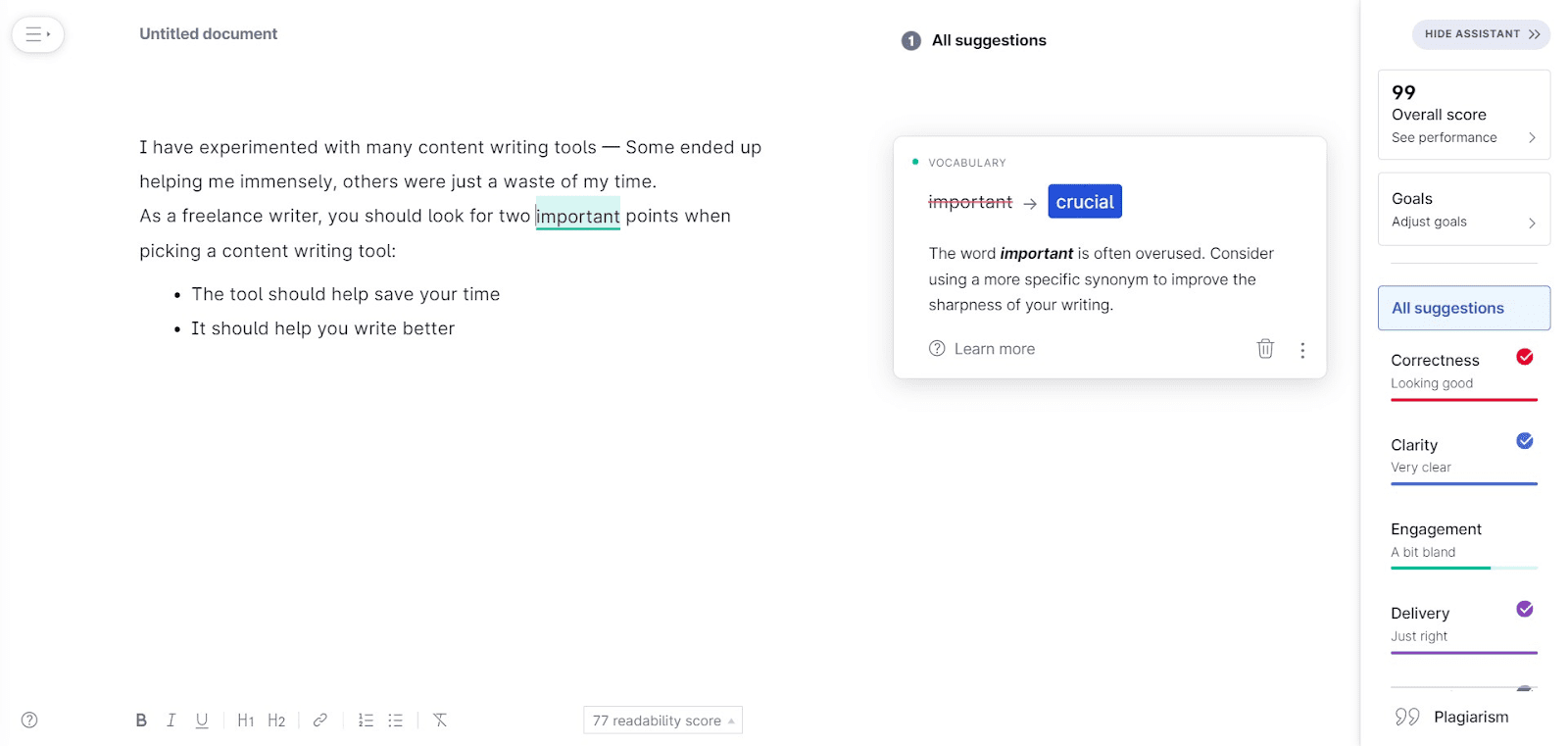
Grammarly is an AI-powered tool which uses machine learning and NLP to identify spelling and grammatical errors.
Over the past years, Grammarly has emerged as a preferred online content writer tool for anyone needing a quick grammar check.
You can access Grammarly through browser extensions for Chrome (which works with Google Docs), Firefox, Safari, and Edge, and desktop apps for Mac and Windows. There’s also a Grammarly keyboard available on Android and iOS devices.You can certainly use Grammarly to quickly check whether you have missed out on any punctuation or used passive voice. But don’t rely on it excessively, as it may not be able to detect major grammatical issues. I have also noticed that Grammarly is particularly useful if you write technical articles full of jargon. The tool will continue to point out technical words and ask you to change them for no reason whatsoever. I do like the option to create your own style guides in Grammarly and I think it could be very helpful for content marketing agencies handling multiple clients or companies that have a strict and a very long list of content guidelines. But the style guide feature is only available with a Grammarly Business account and that costs upwards of $15 per month per user.
Pricing

Pros
- Spots spelling mistakes, incorrect punctuation, and grammatical mistakes
- Allows you to set your tone of writing
- Integrates with Google Docs and allows you to check grammar in Google Docs directly. But the Chrome plug-in is still in beta mode which can slow down the browser.
- Compatible with desktop and mobile browsers
Cons
- Free version is extremely limited in features
- You cannot rely on it entirely as it is not very accurate
#3- Cliché Finder
A reliable online content writer tool to spot banal sentences
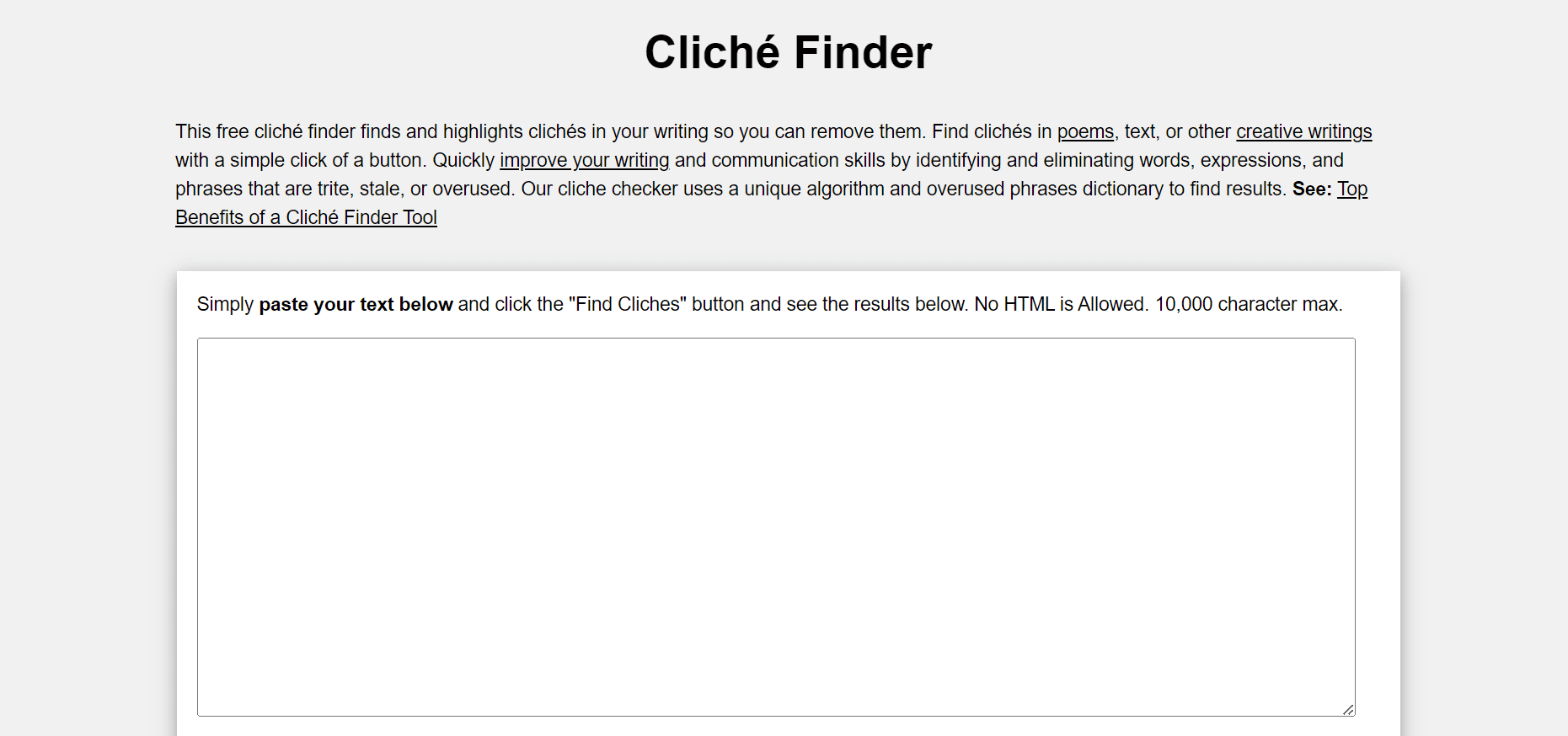
As a content writer, the last thing you want is clichés that put the audience to sleep. But unfortunately, you may not even notice them until later.
That is where content writing tools like Cliche Finder can come to your rescue. This app identifies clichés in your writing and saves you from sounding uninteresting.
All you need to do to use this content writing tool is paste your content in the blank space and click the “find clichés” button. You will be redirected to a new page where all the cliches in your text will be highlighted in bold.
Pricing
Pricing
- Free
Pros
- Improves the quality and originality of your writing
Cons
- No plugin available
- You still need to make the changes to your content manually
#4- Hemingway
A free content optimization tool to add more clarity to your writing
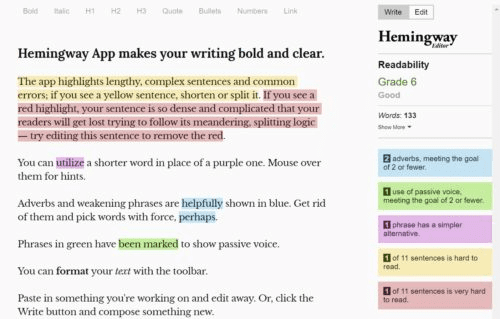
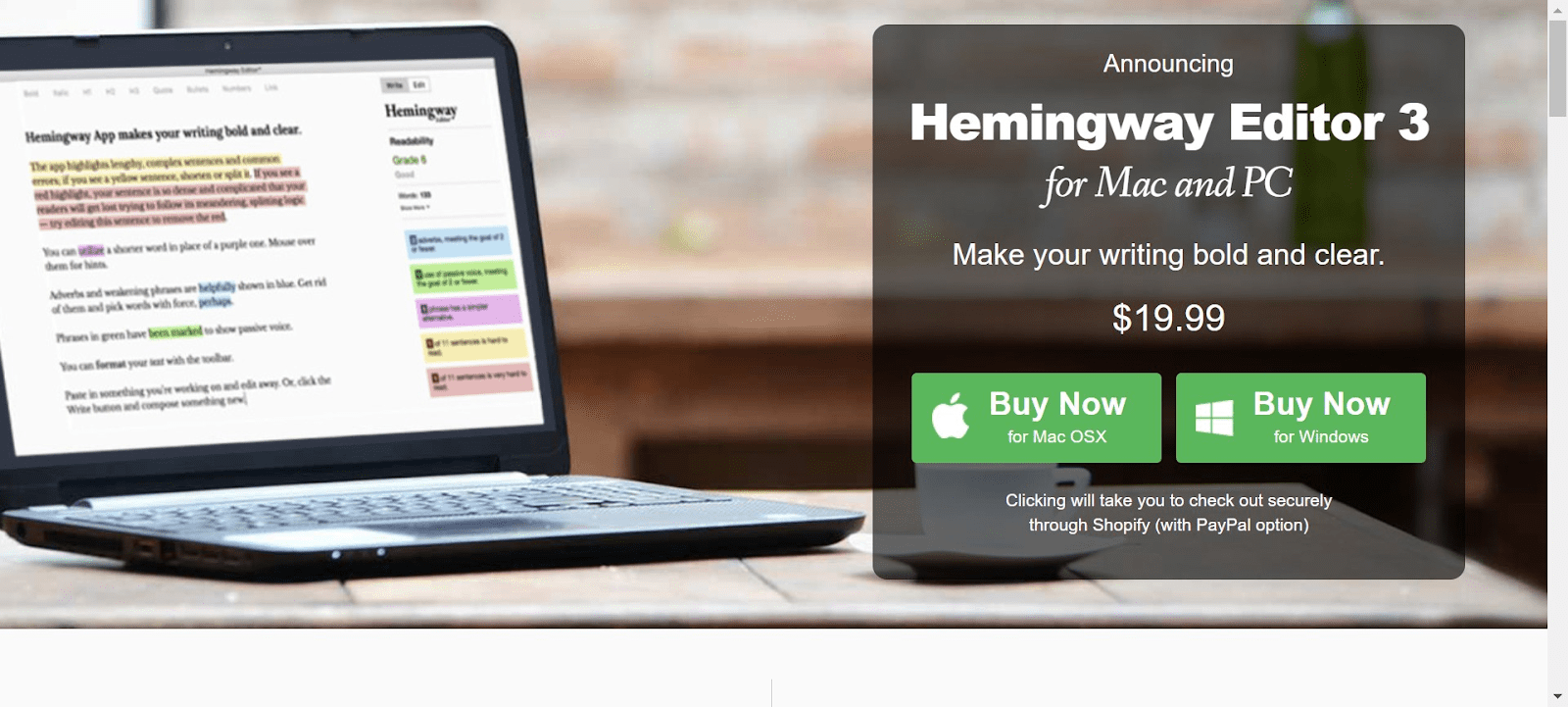
Named after literary giant Ernest Hemingway, Hemingway Editor is one of the popular free content writing apps that a freelance content writer can use to improve their writing and make it more impactful.
The main aim of this tool is to clean up your writing by identifying complex, lengthy, or confusing sentences. Once you paste your content on the Hemingway Editor, it provides color-coded suggestions based on the type of problem it identifiesYou can access Hemingway Editor directly from its website or download the desktop app.
Pricing
Web version is free to use but you will have to pay to download the editor.
Pros
- Good for checking sentences that are too long or complex
- Checks for passive voice
Cons
- The free version doesn’t support export/import or save functions. You will have to copy/paste the content onto the tool
- The tool only identifies the problem areas but doesn’t offer any suggestions for fixing them.
Content optimization
#5- SurferSEO
A good tool for content editors to create outlines and review search optimized content
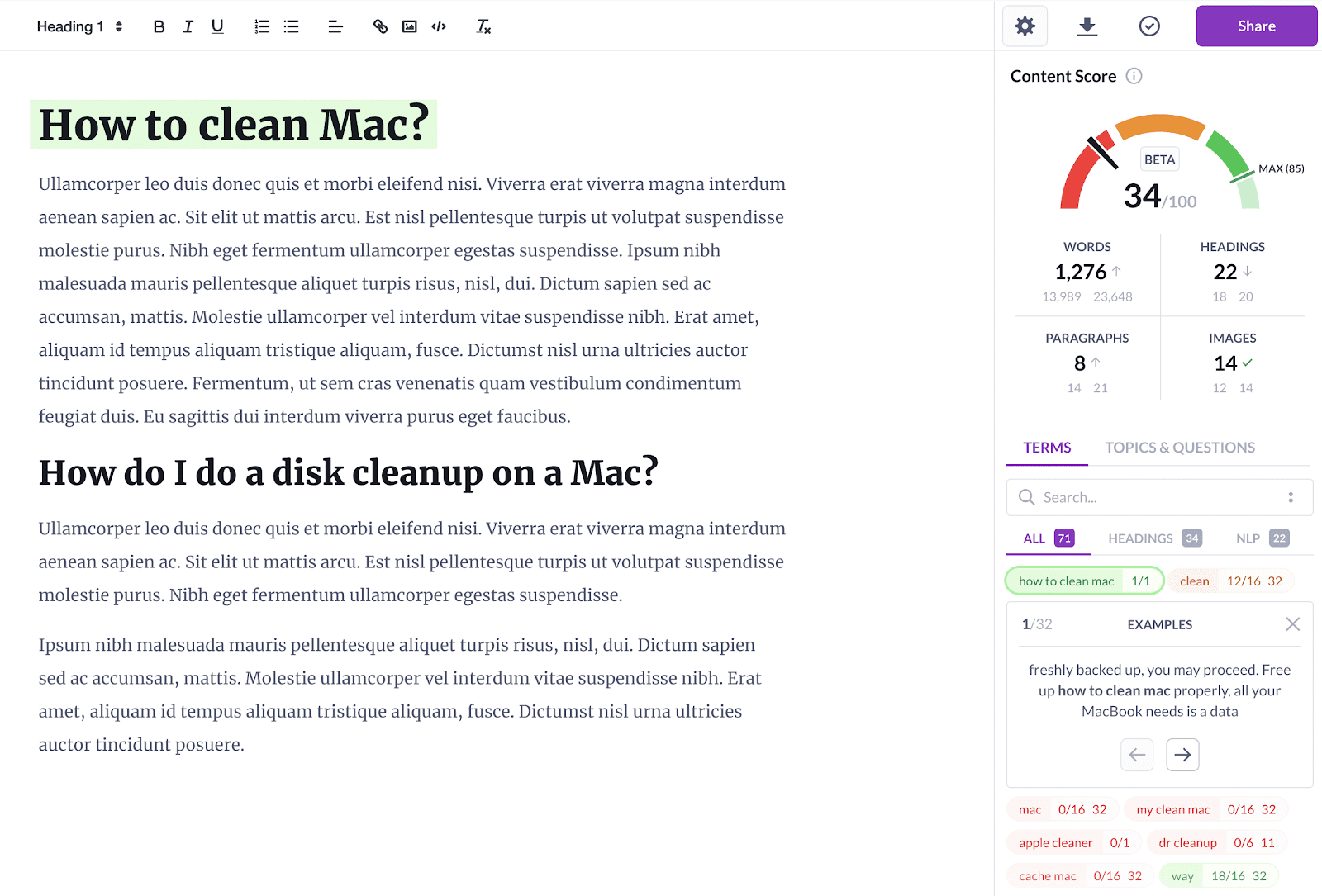
Think of Surfer SEO as a data scientist on demand who can analyze competitors, evaluate performance metrics, and tell you the technical factors that may impact your overall ranking of your content.It helps you locate high-ranking keywords and create engaging content. Its free AI outline generator, takes the keyword you enter and the region you are trying to target to create an in-depth content brief with all the headings and subheadings you should cover. The data is analyzed based on the competitors already ranking for the keyword. It also suggests good headlines with a powerful CTA.The main features of SurferSEO include:
- Content Editor
- Audit
- SERP Analyzer
- Keyword Research
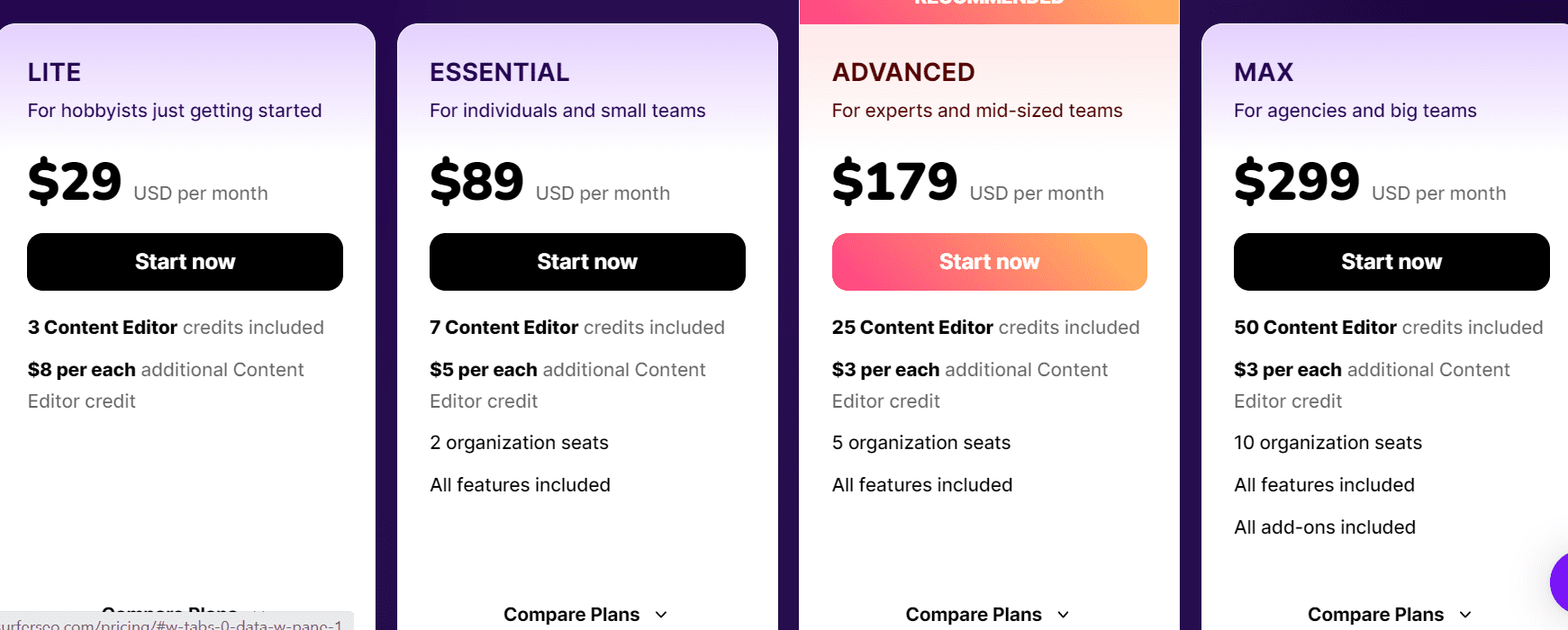
Personally, I did not find their AI outline generator very effective as a content writing tool. With the right prompts, you could probably create better outlines through ChatGPT. Apart from its content editor, none of the other features are compelling enough to shell out money for SurferSEO. Maybe the stiff competition from the free ChatGPT is the reason why SurferSEO has significantly reduced its basic package from $49 a month to $29 a month. But there is also no free trial anymore
Pricing
Pros
- Has a Chrome extension you can use for optimizing content on Google Docs and WordPress
- Single platform for both content planning and optimization
- One of the few on-page tools available that help you target LSI keywords
Cons
- More suited for content editors than writers
- WordPress extension can be buggy sometimes
- The internal linking suggestions may be irrelevant
- SEO features are limited and not as powerful
#6- Clearscope
Good tool for quickly reviewing relevant keywords in content
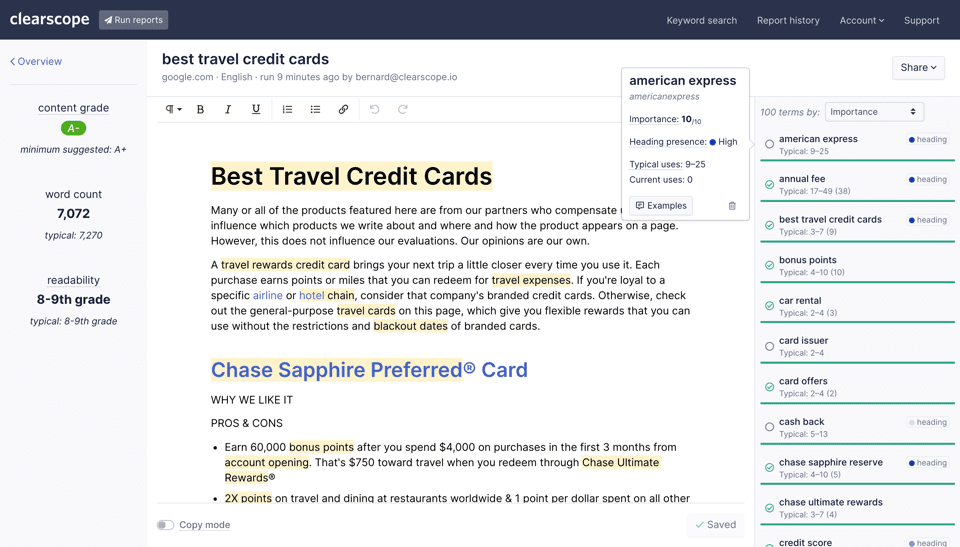
Similar to SurferSEO, Clearscope can also identify all the primary and LSI keywords, and then help content editors/ content marketers ensure that writers are in fact using all the relevant keywords in their content. As someone who offers content marketing services to clients, I manage multiple writers under me and I have found Clearscope very useful in creating SEO content where the number of keywords used and their respective keyword densities are both very important factors.Here are some of the many features of Clearscope:
- It evaluates your target keywords, audits the competitor’s content, and pulls out relevant themes and questions you must address through your content.
- It ranks keywords based on importance and also recommends headers to optimize the content’s search engine performance
- Not only can you create detailed content briefs on the platform, but you can also share them with others and optimize the written content through its in-built text editor.
- The platform assigns a content score based on the headings used, content structure, and keywords incorporated, making it especially helpful for big marketing teams.
But is this something ChatGPT cannot do? Is this really worth the price? I don’t think so. ChatGPT can definitely help with all the above, all you would need are the right prompts. By combining a strong SEO tool like SEMrush or Ahrefs with ChatGPT, you could probably achieve all of the above.
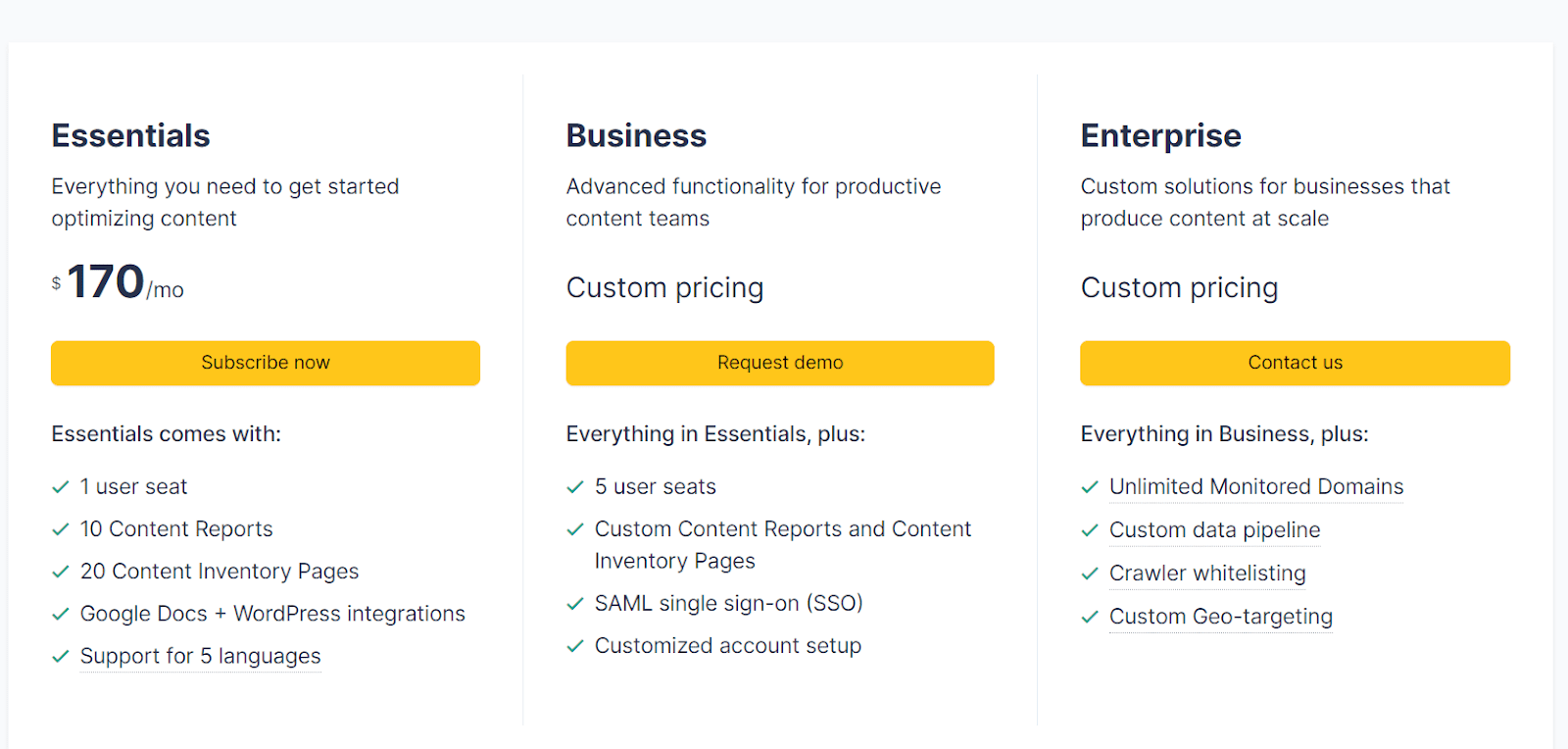
Pricing
Pros
- Keyword discovery is excellent that helps you create content capable of consistently performing well
- Extremely user-friendly platform
- Helps to create detailed content briefs within a few minutes
Cons
- Only available as a paid tool and the pricing is on the higher side, making it suitable only if you are publishing content at scale
- Doesn’t support integration with Google Docs
#7- Frase
Creating SEO-optimized content quickly
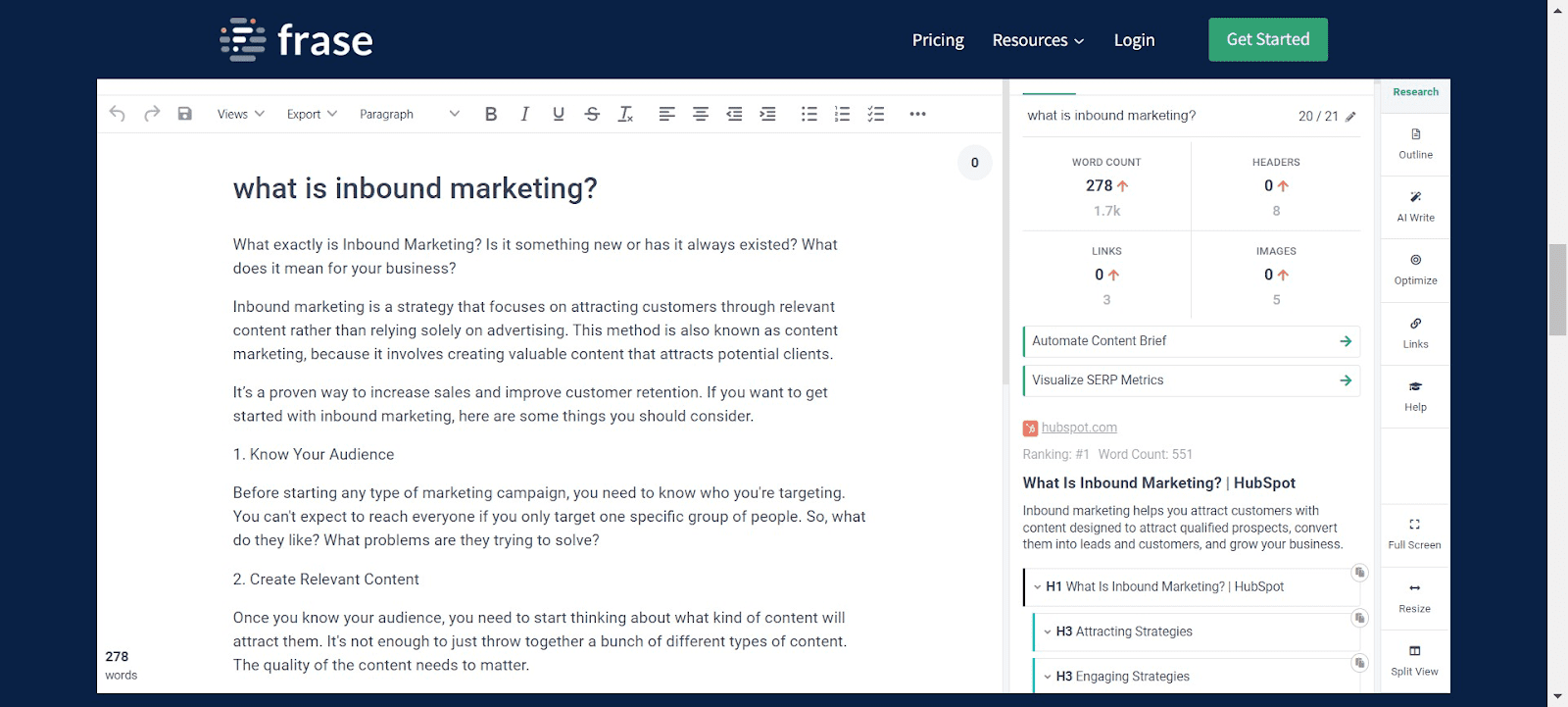
Frase is an AI content writing tool to help you with the content creation process from start to finish. Here are some of the noteworthy features:
- Create SEO-optimized content briefs with the main H1, H2, and H3s, and identify the main keywords to target
- Optimize existing content on your website. All you need to do is enter the target keyword and URL and Frase will compare it with the top-ranking pages on Google to suggest edits.
- ‘Write For Me’ feature creates AI-generated content
I liked Frase because of the fact that it was one of the most affordable AI content optimization tools which could also help with AI-generated content. But again, most of this can now be achieved with ChatGPT so I am wondering how the company plans to set itself apart from the rest. With so many tools for writing content available, is there really one that can stand apart?
Pricing
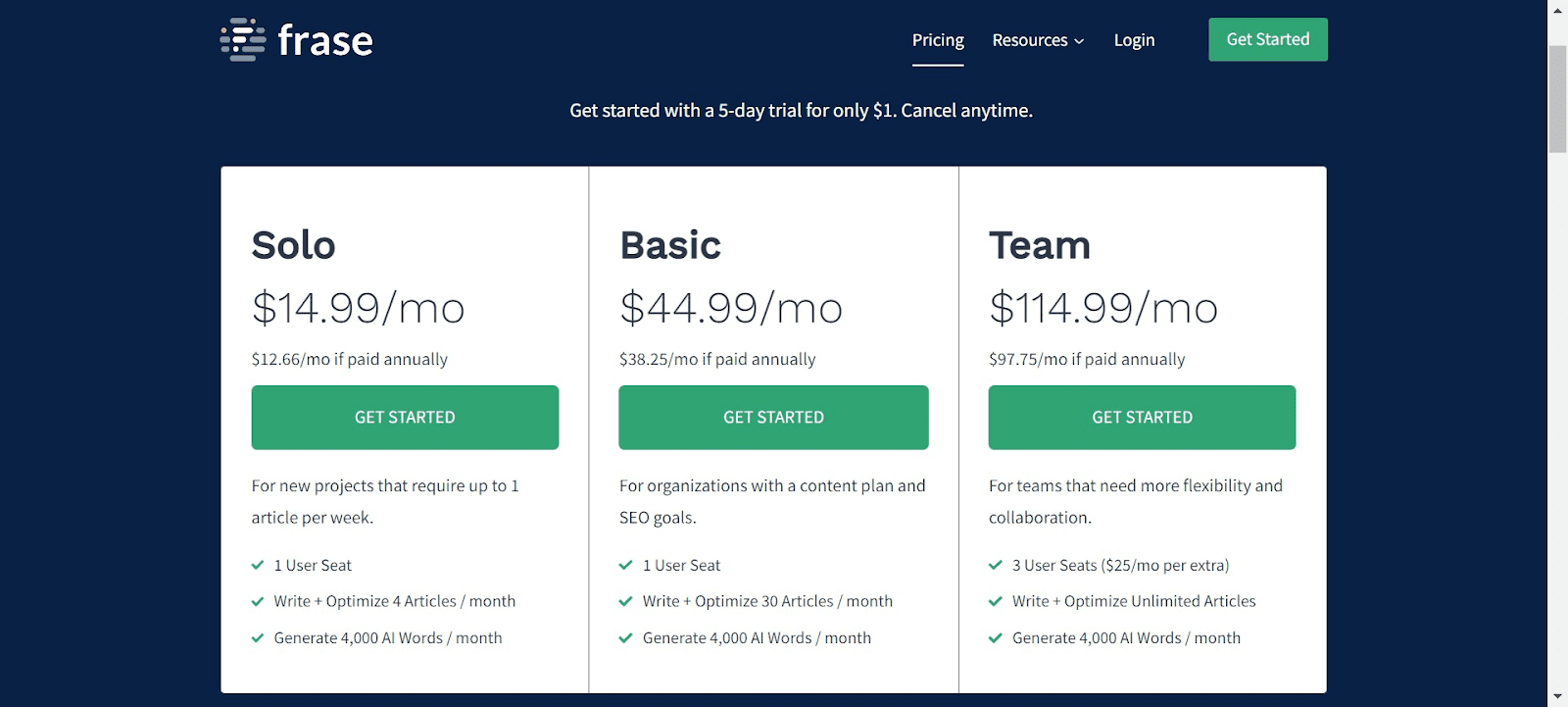
You can get a 5-day trial for $1
Pros
- Great way to streamline the content planning and creation process
- Easy to use interface
- Saves time that you may have to spend otherwise researching from multiple sources for identifying the right keywords
Cons
- No free trial
- No mobile or desktop app
- Limited analytics and optimization features
Content Curation
#8- SEMrush
Powerful SEO tool for keyword research, competitor analysis, backlink analysis and more
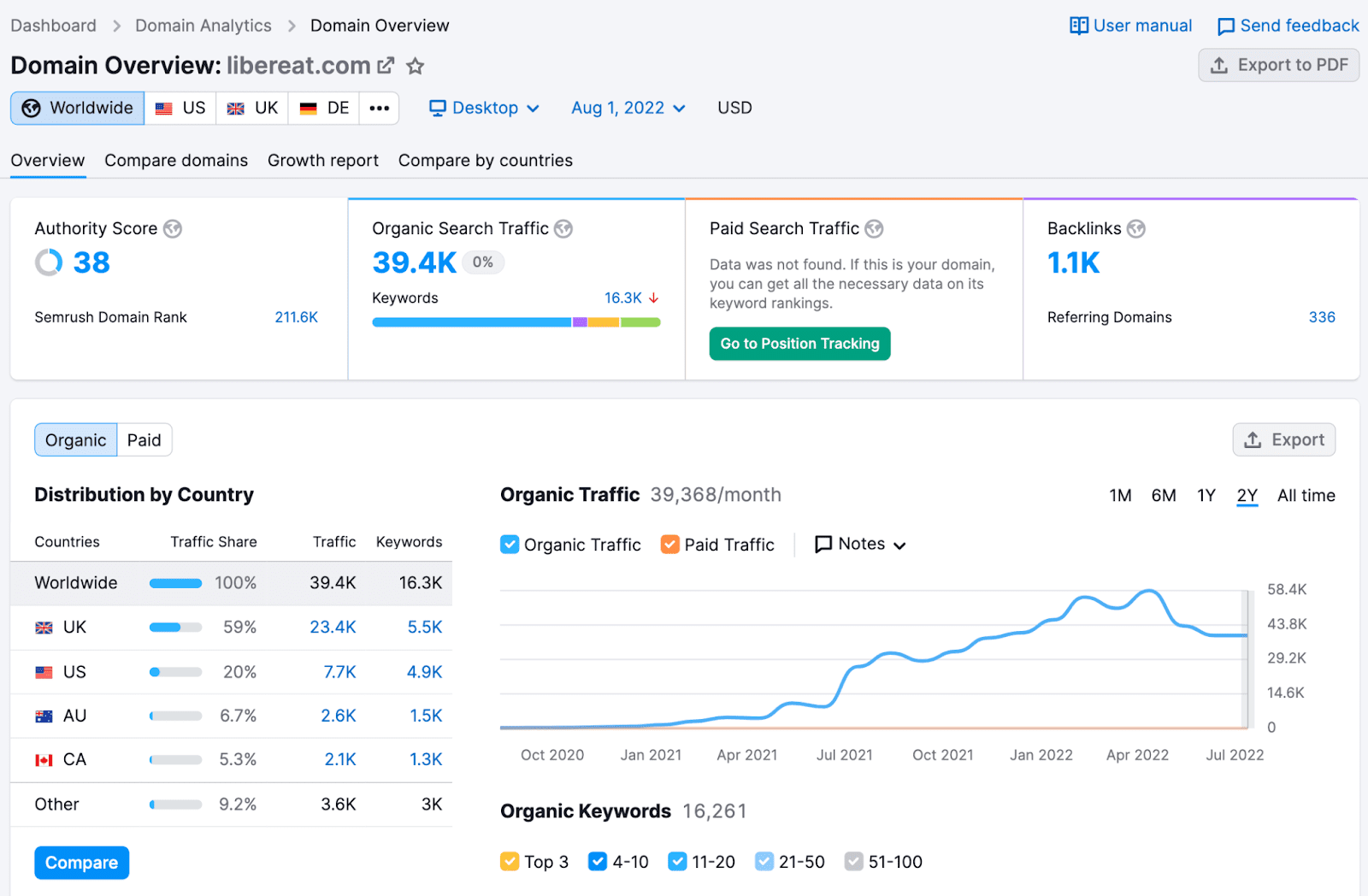
Every content marketing professional swears by SEMrush. It is an SEO tool which can help you perform in-depth competitive analysis, identify primary and LSI keywords to target, and track your website’s SEO performance.
Some of the features of SEMrush include:
- Gather paid and organic traffic insights about any website or URL
- Find a cluster topics based on the keyword you are trying to rank for
- Learn about the monthly search volume of any keyword.
- In-depth backlink audit
- Track the performance of published content, month over month to understand what is performing well and what just isn’t.
For me SEMrush is one of the best tools for content writers and marketers.
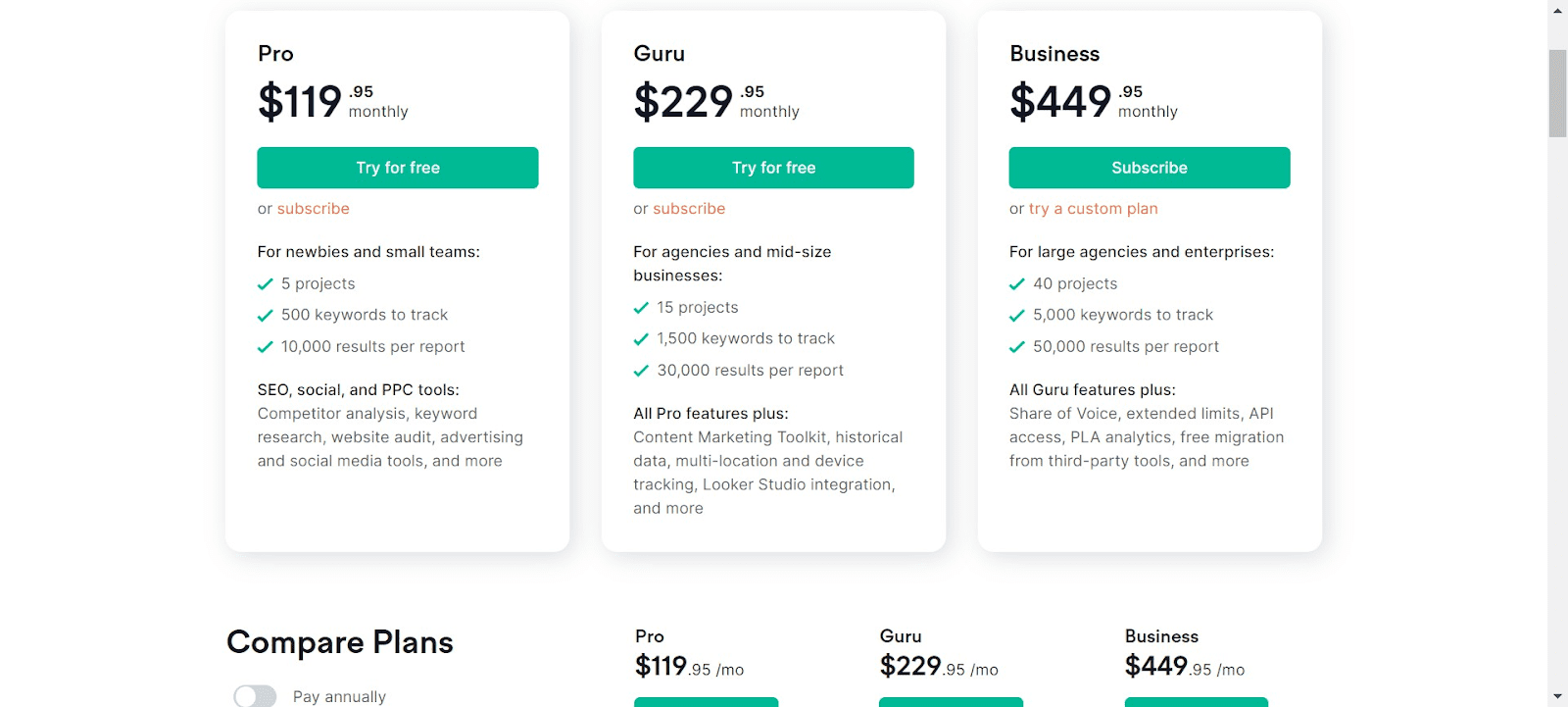
Pricing
Both paid and free plans are available. The free plan doesn’t provide full access to all the features and you get a limited number of daily reports.
Note: If you are using SEMrush in India, you will be charged 18% GST over the given monthly subscription fees. To avoid paying it, you would have to provide your GSTN to SEMrush (if you have one).
Pros
- Pricing may seem a bit high but its features are definitely worth the price
- One of the most powerful and yet easy to use SEO tools available
- Download SEO reports for analysis
- Create projects to track competitors in real-time and get notified when their rankings change
- The new SEO content template feature can create content briefs similar to Frase, Clearscope, and SurferSEO
- Makes it easy to find SEO performance for subdomains, subfolders, and individual pages
Cons
- Can be expensive if you won’t be using it a lot
- All SEMrush plans provide only one user account
- Backlink analytics isn’t as powerful as Ahrehs
- Historical data can only be accessed when you have Guru or Business accounts
- It cannot pull out any data from other search engines apart from Google
#9- Ahrefs
A reliable SEO tool for backlink analytics, keyword research, and competitor analysis
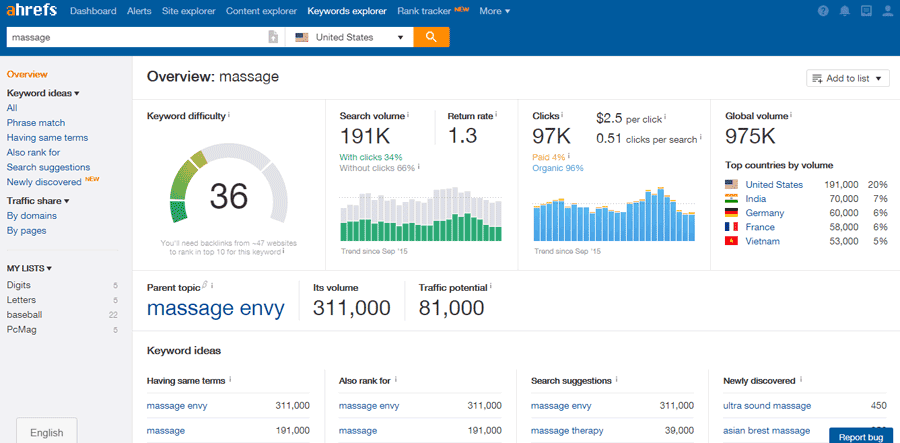
Ahrefs is another powerful SEO tool which is similar to SEMrush, but it has more advanced features when it comes to backlinking analytics. It is an excellent starting point for anyone who wants to become a content writer in India or get into content marketing.
For me personally, one of the major reasons I prefer SEMrush over Ahrefs despite the higher price for the former is because of SEMrush’s interface and its powerful keyword research and competitor analytics. I find Ahrefs lacks there a bit, it leaves you wanting for more.However, if backlink audits and analytics are your priority, I would definitely recommend Ahrefs.
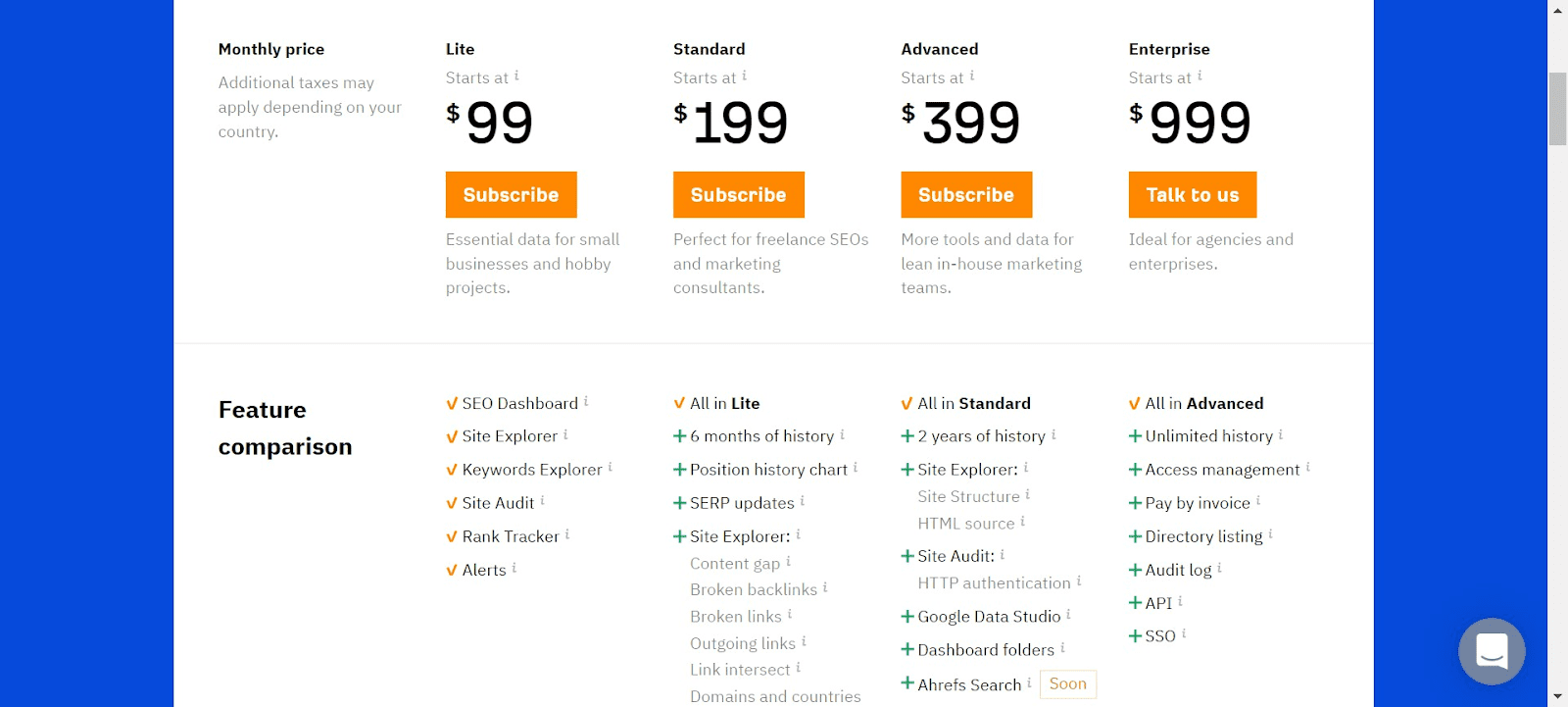
Pricing
The keyword research tool is free but to access core features such as link building, technical SEO audit, and backlink analysis, paid plans are available.
Pros
- Gathers data from multiple search engines
- Has the second most active crawler after Google
- Provides accurate organic search traffic data for any website
- Offers the best backlink analytics and insights.
Cons
- No data available on search intent
- No mobile app for on-the-go checks
- Keyword research leaves you wanting for more
#10- HubSpot Blog Ideas Generator
A free app to find new blog topics

If coming up with new ideas for blog posts or articles for freelance writing is proving to be stressful, don’t forget to check out this tool from Hubspot.
You can enter up to five nouns in the generator and get 5-250 titles for your next post. Even though the suggested titles may seem cliche, you can always explore unique angles to write your piece
Pricing
- Free
Pros
- User-friendly design
- The topic generation process is pretty quick
Cons
- No mobile or desktop app
- Limited features
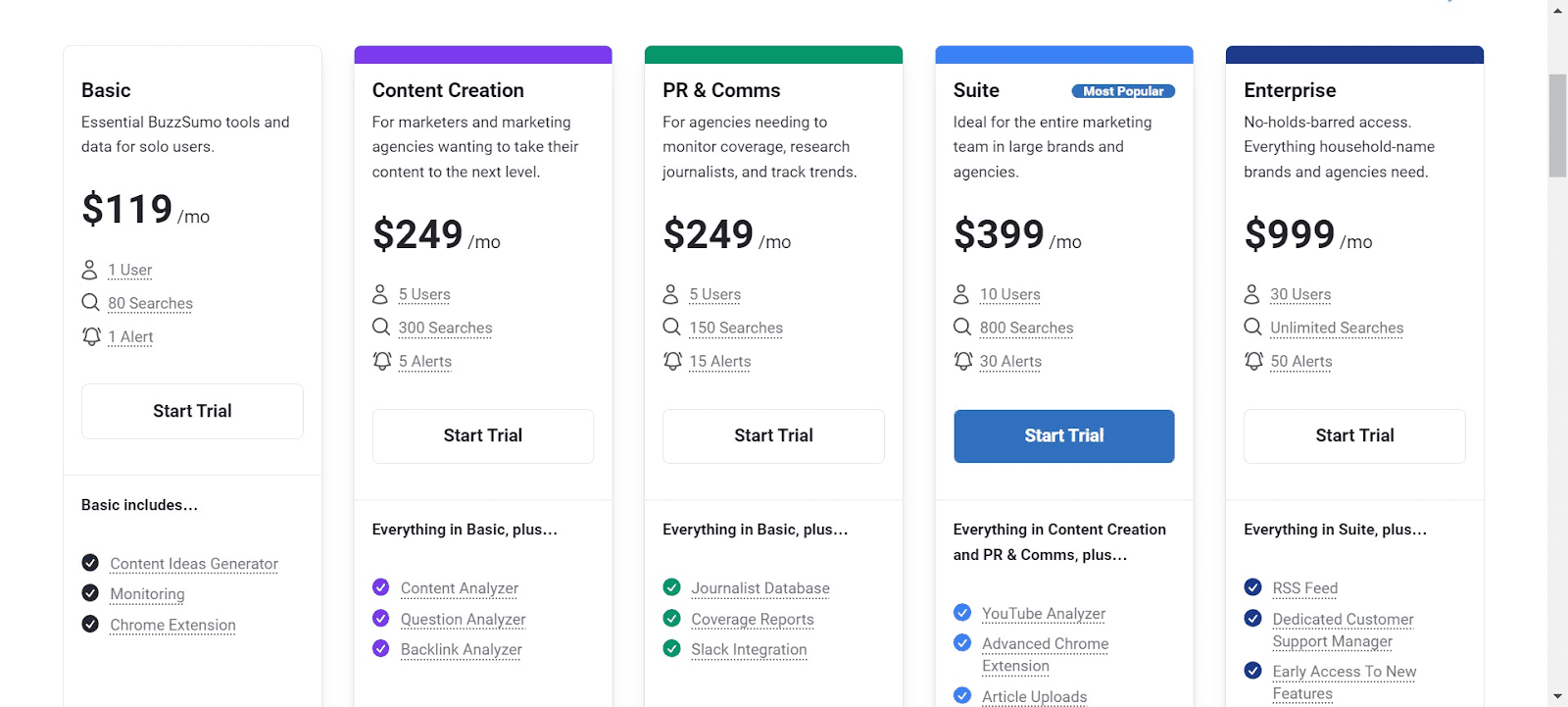
#11- Buzzsumo
Excellent content writer tool for identifying new topics and curating content
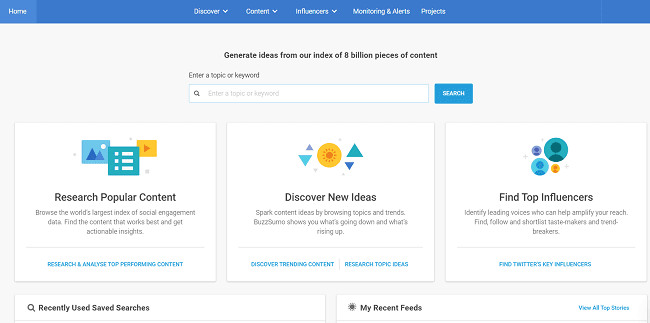
Writing on trending topics is necessary to rank high on search engine pages and get more engagement on social media. If you are struggling with finding new content ideas, you can consider using Buzzsumo
As a freelance writer in India, I prefer Buzzsumo as it ensures I create content that resonates with the target audience. There is a dedicated ‘Content Ideas Generator’ feature to discover new ideas for making your content marketing plan.
Buzzsumo also allows you to track a topic you want to write about and set up alerts.
Pricing
- You can try out Buzzsumo for free for 30 days.
Pros and cons
Pros
- Evaluates all types of content, including video content, social media content and website content online for content discovery
- Makes incredibly simple to find out the most popular content on a particular topic
Cons
- Doesn’t pull out data from every social network. For instance, Buzzsumo doesn’t offer insights into Instagram, Snapchat, and TikTok, at present
- No mobile or desktop app
Content research
#12- Transcribe (Web)
A free tool for transcribing audio or video
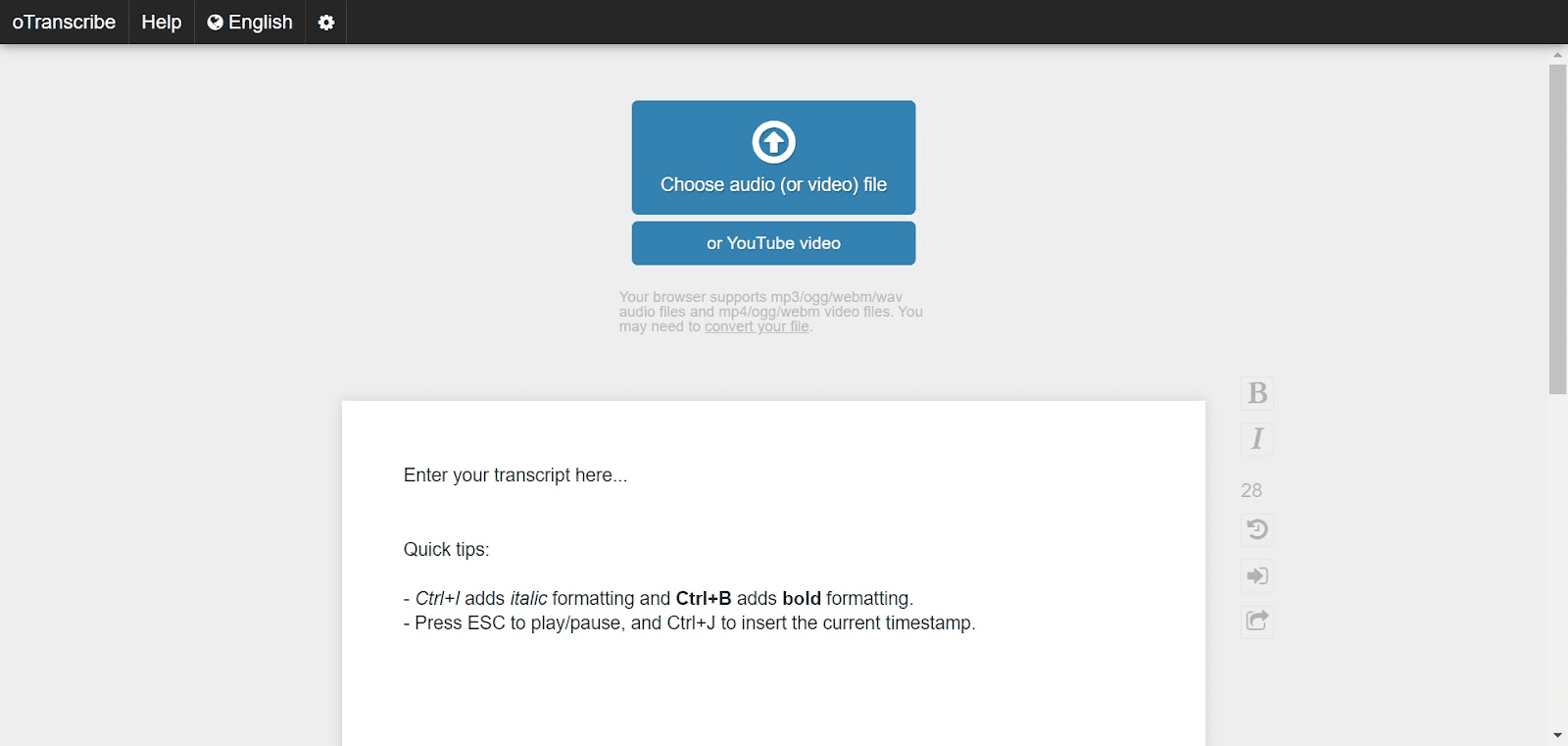
One of the popular free content writing tools you can use for transcribing interviews is oTranscribe.You can upload your audio or video file, press the play button and start transcribing as you hear the audio. You can pause, rewind or fast-forward the recording without moving away from your keyboard. This is also a great tool for anyone applying to online transcription jobs.
Pricing
- Free
Pros
- Interactive timestamps to help you navigate through the audio
- Transcribed version is automatically saved to browser’s internal storage
Cons
- No automatic transcription
- Limited features and minimal interface – Does what it claims and nothing more
#13- Character Count Online
A free content writing tool for checking word count
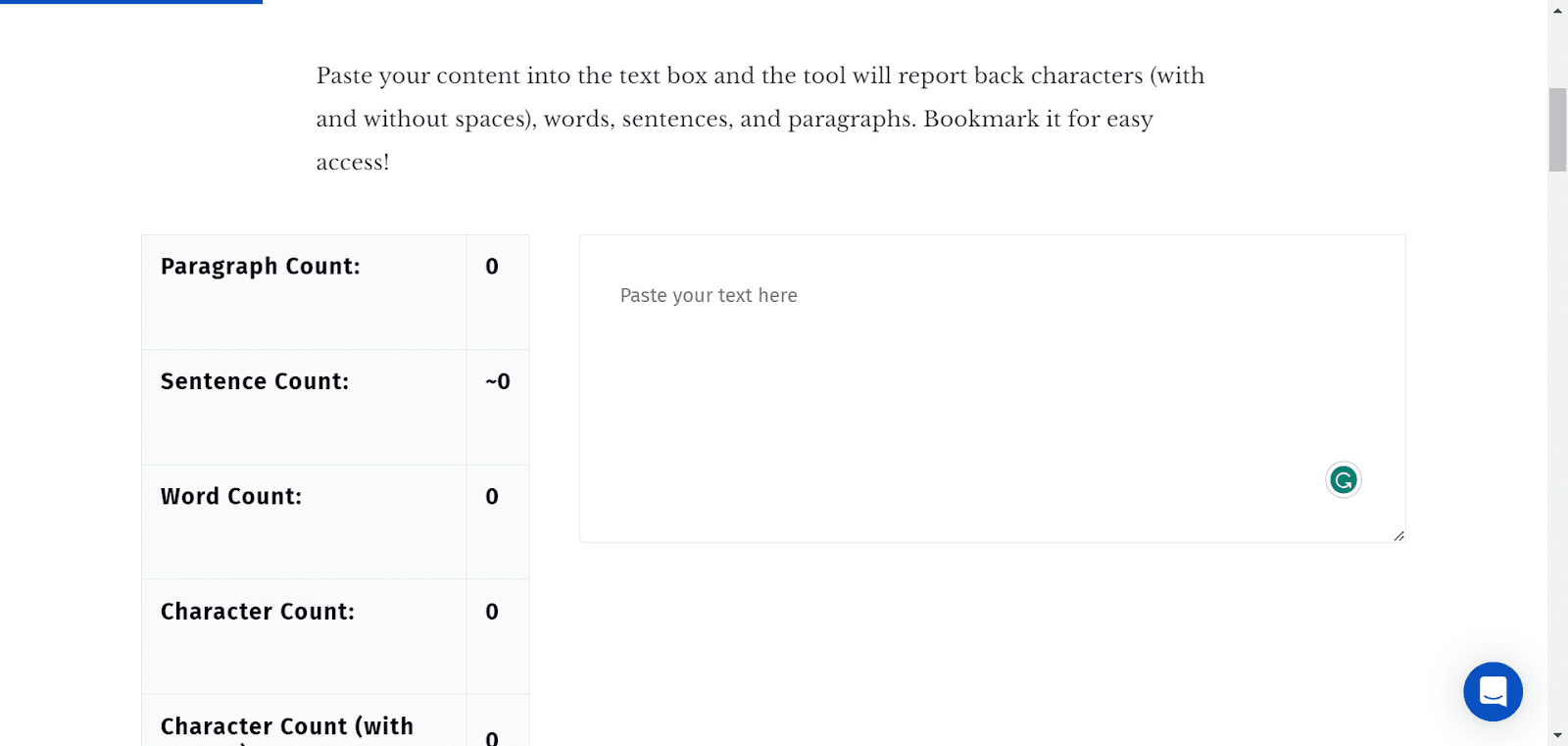
This undoubtedly one of the best tools for writing content. Hitting the optimal word count is critical for SEO. Though the exact word count depends on the topic, a blog post should typically be between 1000 to 2500 to fit the relevant SEO elements. This character counter is an excellent pick for determining the word and character count of your content. I find it especially useful when creating content that has a specific character limit like meta descriptions or web copy.
Pricing
- Free
Pros
- Clean interface
- Includes paragraph and sentence counter
Cons
- No plugin or extension available
#14- Lightshot screenshot tool
A free tool online for taking screenshots
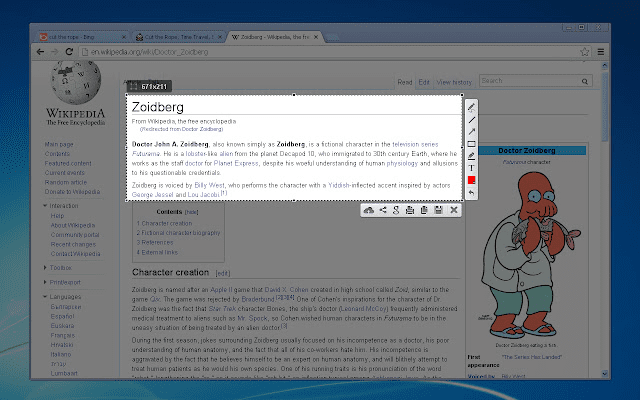
While Windows and iOS offer native screenshot tools, you may be unable to edit or annotate any screenshot you take.If you want to take customisable screenshots, you can try Lightshot.
Pricing
- Free
Pros
- Directly copy the screenshot to clipboard
- Select any part of the page you want to screenshot
Cons
- Some users have raised privacy concerns as source can be tracked
#15- Google Search Console
My personal favourite content research tool is Google Search Console and GSC. And I love it for a very simple reason – It tells you what is working and what’s not.GSC identifies the keyword your website is ranking for, its positions, the total number of impressions each page is getting, and number of clicks as well.While SEMrush and Ahrefs may help you in keyword research and competitor analysis, GSC gives you a very in-depth understanding of your own published content
Pricing
- Free
Pros
- In-depth website and page SEO analysis
- Get accurate CTR analytics
- Internal and external backlink analysis
Cons
- No competitor analysis
- Features are a bit limited
Ready to make the most of these content writing tools?
Remember just because some of these content writing tools work for me, doesn’t mean they may work for you as well. The tools you choose should make you more productive and efficient at your work–not eat away your time.

Great post! I really enjoyed reading about each tool and definitely going to check them all out and see what works for me. Right now, I’m only using my brain and Google Docs, but trying a lot of these out would definitely be beneficial…even that scary last one. Ugh!
Grammarly and Hubspot’s idea generator tool are my favorite.
Grammarly and CoSchedule’s Headline Analyzer are a couple of my go to’s. I use Cold Turkey Writer to keep me writing and doing nothing else. I’ve also used Hemingway Editor in the past but not so much recently. Nice list!
Can we use these tools for blogger also?
I’m a beginner that’s why I’m using blogger, not wordpress. Please reply as soon as possible.
I really like your ideas I think it’s is really helpful for me as I am beginners and looking tips for improve my own writing skills.